Interview Questionnaire Templates
Online interview questionnaires enable standardized candidate evaluation, helping hiring teams gather structured, comparable information on key skills and qualifications. By automating initial screening, questionnaires save time, streamline workflows, and minimize bias, ensuring all candidates are assessed on relevant, job-specific criteria. They make it easier to identify top candidates early in the process and improve team collaboration, as responses are recorded and easily accessible for review.
Zamdit allows you to create Online Interview Questionnaires, supporting over 10 types of questions, including video responses, file uploads, and reference checks. Interview questionnaires also support section jumps, enabling dynamic workflows for customized interview experiences.
While creating custom questionnaires for each role is recommended, Zamdit includes a default template per language with common questions that can be used across multiple roles. Customizing questionnaires for specific skills, qualifications, and competencies needed for each role ensures candidates are evaluated on relevant criteria, allowing hiring teams to focus on each role's unique demands. This yields meaningful insights and better alignment with job requirements.
Creating and editing questionnaire templates
When adding or editing a questionnaire template, details are organized within a popup window divided into three sections. Changes are saved only when you click Save.
Template details
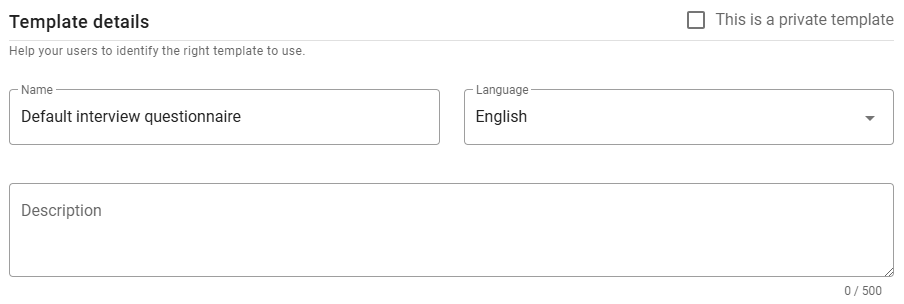
Define the template’s Name, Language, and Description in this section. Set the language before adding questions to ensure compatibility.
⚠️ Note for Admin users
When creating a new template, you can mark it as private by selecting the checkbox in the top-right corner. Once saved, this option cannot be changed.
Questionnaire headings and texts
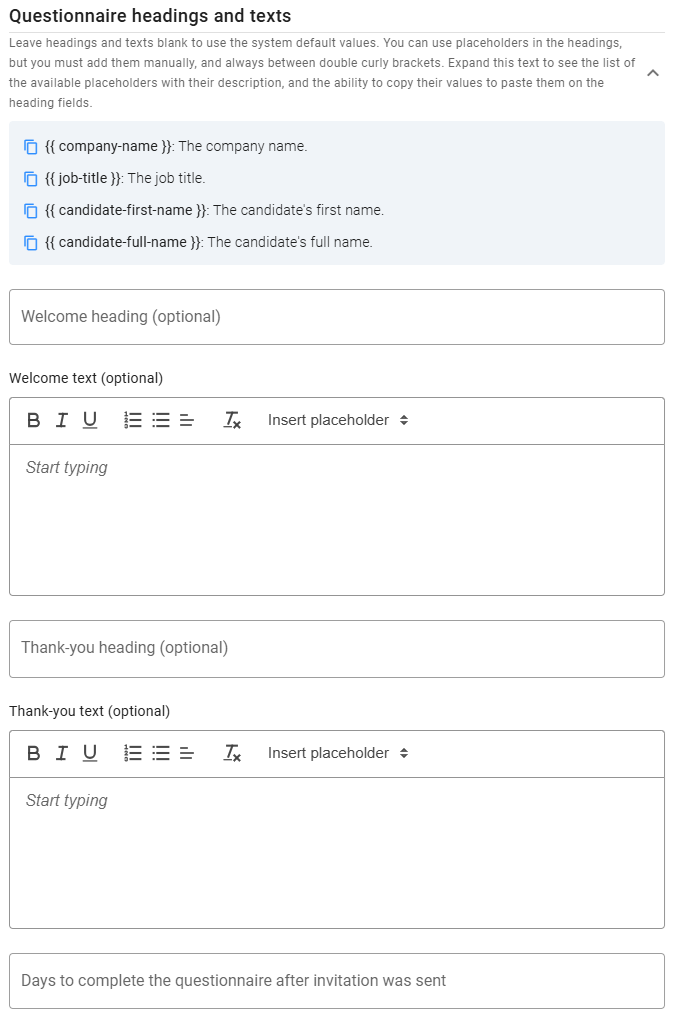
Customize the Welcome and Thank-you messages displayed to candidates before and after completing the questionnaire. While default messages are provided, you can modify headings and text as needed. Use placeholders, listed at the top of this section (click the expand icon), for dynamic content. To copy a placeholder, click the icon next to it.
This section also includes a field to define the number of days candidates have to complete the questionnaire after receiving the invitation.
Questions
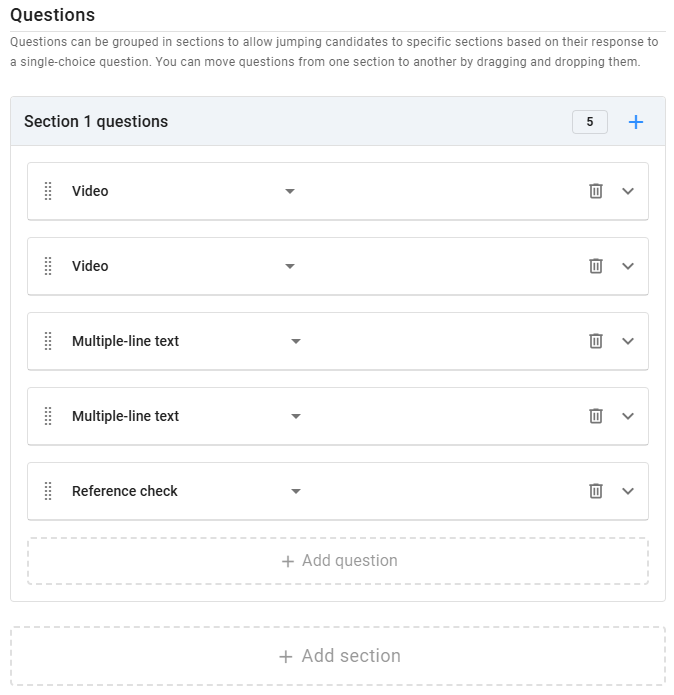
In the Questions panel, add all questionnaire questions. For complex workflows, you can group questions into sections and set up section jumps based on answers to Single choice questions.
Zamdit supports multiple question types: Checkbox, Number, Single choice, Multiple choice, Single-line text, Multiple-line text, Video, Files upload, Reference check, Rating, Star rating and Smiley rating. For each question, add an optional description (hint) to clarify its purpose and specify if it’s required. Choice questions need at least two options, and you can select the UI component (dropdown, checkbox, or radio button). Rating and Star rating questions offer customization for range and labels.
Several question types are designed specifically for Candidate Interview Questionnaires:
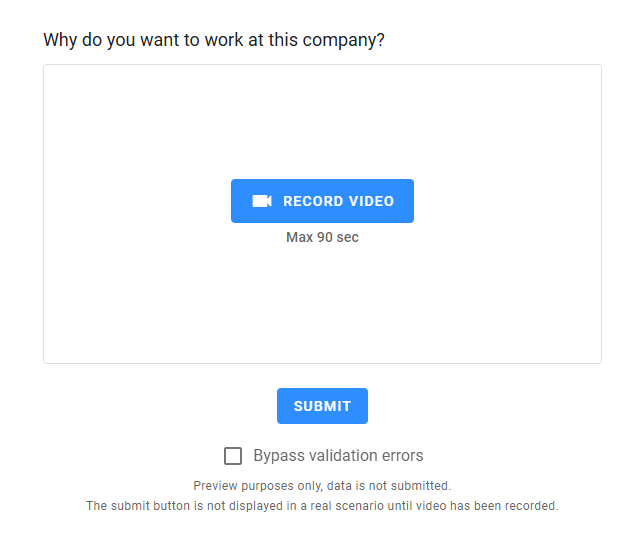
- Video: Candidates record a video to answer a question, allowing hiring teams to assess communication skills, confidence, and body language for a more complete view than written responses alone. You can set a maximum recording duration (up to 5 minutes). Video responses are particularly useful for evaluating personality and enthusiasm, offering insight into team fit and presentation skills.
- File Upload: Candidates can upload relevant work samples, certifications, portfolios, or other documents. You can specify single or multiple file uploads and allowed file types (PDF, text, or images). This feature allows hiring teams to assess work quality and expertise directly within the application process, particularly valuable for technical or creative roles.
- Reference Check: Candidates provide contact information for their professional or personal references. You specify reference type, number of references required, and the reference questionnaire to be used. Zamdit will then reach out to references with standardized questionnaires, collecting structured feedback early in the process for a faster, more informed hiring decision.
To delete a question, click the Delete icon on the right. To reorder questions, drag and drop them using the Dots icon.
Jumping to other sections
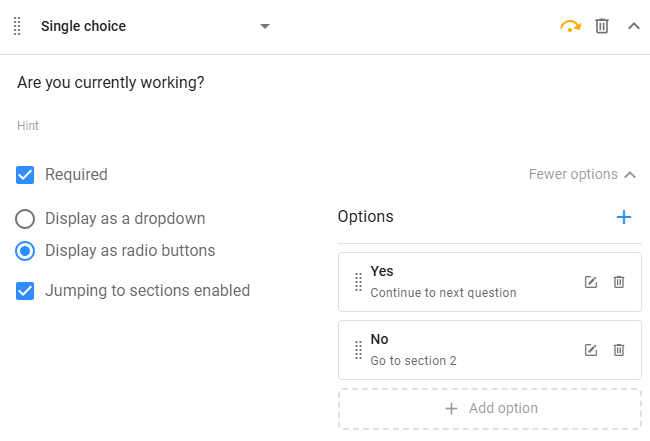
When designing questionnaires with multiple sections, you can set up Single choice questions (marked as Required) to redirect candidates to specific sections based on their answers. This dynamic setup adapts the questionnaire in real time, showing only relevant questions based on the candidate’s skills, experience, or other factors. This reduces completion time and improves candidate experience by avoiding irrelevant questions, while providing hiring teams with focused, relevant information for effective assessments.
To enable jumps, multiple sections must be present. When eligible, a Jumping to sections enabled checkbox will appear. Select this checkbox to activate section jumps, and when selected an additional input will appear for each answer option, allowing you to specify which section to jump to based on that answer, or if the candidate will proceed to the next question. Questions that contain jumps to other sections are marked by an amber jump icon on top.
Preview
Preview your interview questionnaire in two modes:
- All questions in the same view: Provides a quick overview of all questions without considering jumps. Video recording and file upload features are not interactive in this mode.
- As candidates would see it: Starts with the Welcome message, then displays each question on separate views, supporting section jumps. The final view shows the Thank-you message.
In candidate mode, you can test headings, fields, and validation rules, including recording videos and uploading files. To bypass validation errors, select the Bypass Validation Errors box.