
Job Edition - Third-party Email Templates
Zamdit streamlines communication with external recruiters, references, and reviewers by offering preconfigured email templates. These templates ensure a consistent and professional tone, helping facilitate key actions in the hiring process.
Overview of templates
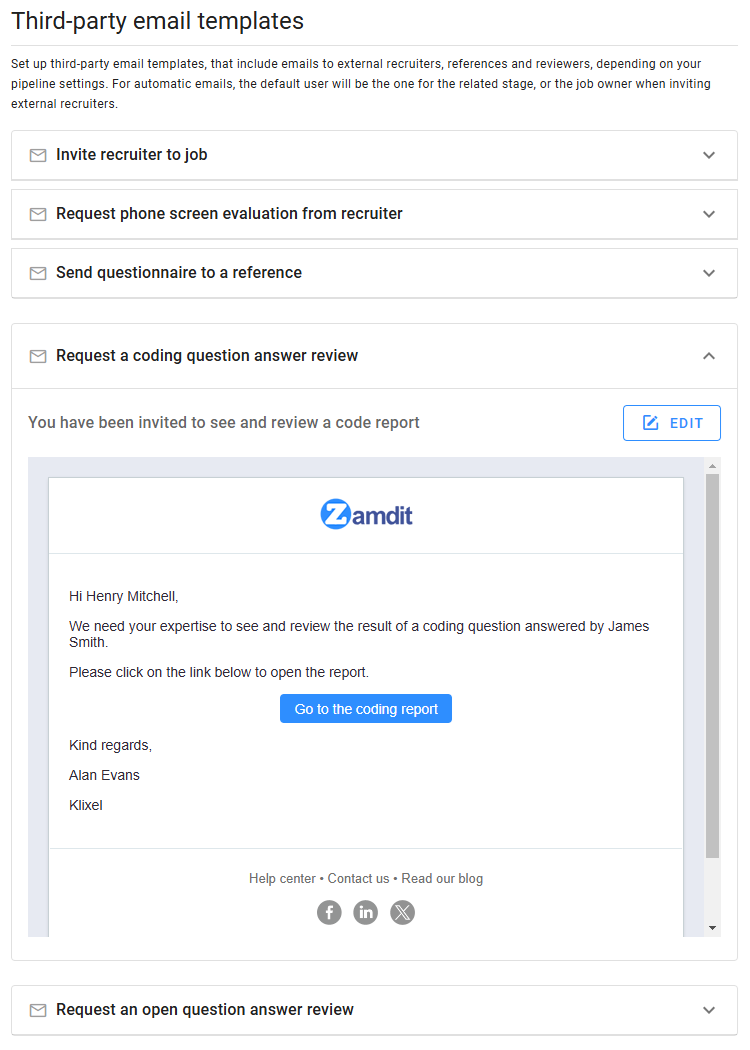
The system provides five predefined email templates, which are available only when the pipeline includes stages that require the corresponding actions. The templates cover the following scenarios:
- Invite an external recruiter to a job: Notifies an external recruiter about their involvement in a specific job and provides the necessary details for collaboration.
- Request a phone screen evaluation from an external recruiter: Asks an external recruiter to complete an evaluation after conducting a phone screen interview.
- Send a questionnaire to a reference: Requests feedback from a candidate's reference and includes a link to an online questionnaire.
- Request a coding question answer review: Invites a reviewer to assess a candidate's response to a coding question.
- Request an open question answer review: Asks a reviewer to evaluate a candidate's response to an open-ended question.
This section displays a preview of all available email templates. Note that the templates include placeholders, which are replaced with default system values in the preview to give you a clearer idea of the final emails sent to third parties.
Customizing templates
Each template is pre-populated with default content tailored for third-party interactions. You can customize the Subject and Body of the emails to better align with your organization's tone or requirements. If desired, you can also select an alternative template from the available options.
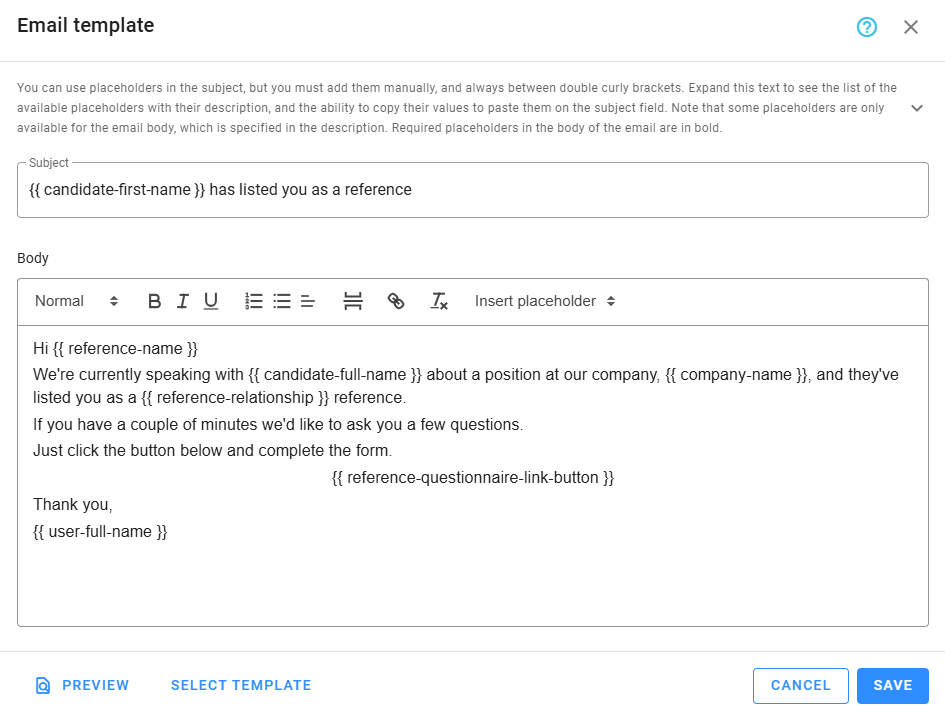
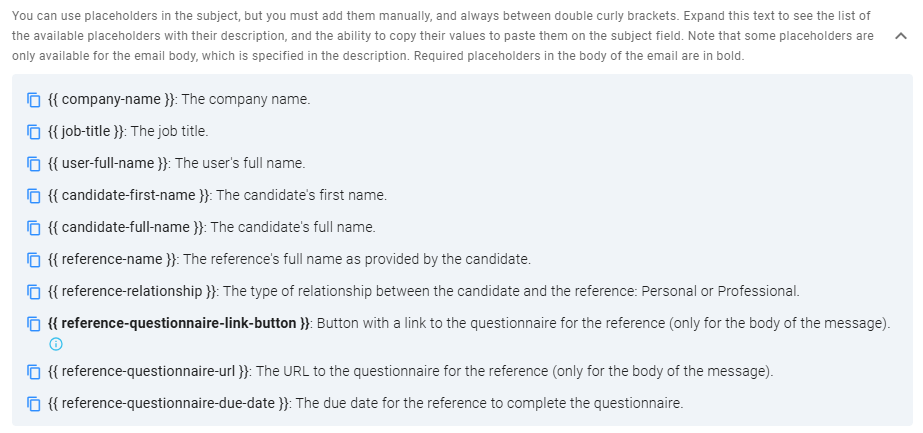
Placeholders allow you to add dynamic content and can be accessed by expanding the list at the top of this section. Placeholders in the subject line must be entered manually, but you can copy them from the list by clicking the icon next to each one. Required placeholders for specific email actions appear in bold to ensure they are included in the message body.
Once changes are made, use the Preview option to ensure the final email appears as intended before saving your updates.
Best practices
- Keep it concise: Ensure the email's content is clear and to the point, focusing on the action required from the recipient.
- Maintain professionalism: Use a formal yet approachable tone to reflect positively on your organization.
- Review before sending: Double-check customized templates for accuracy and tone to avoid miscommunication.