Manage Access
From this section, you can change your password and manage access to your draft and active jobs. While access management can also be done from each job, this section provides a centralized view.
Change password
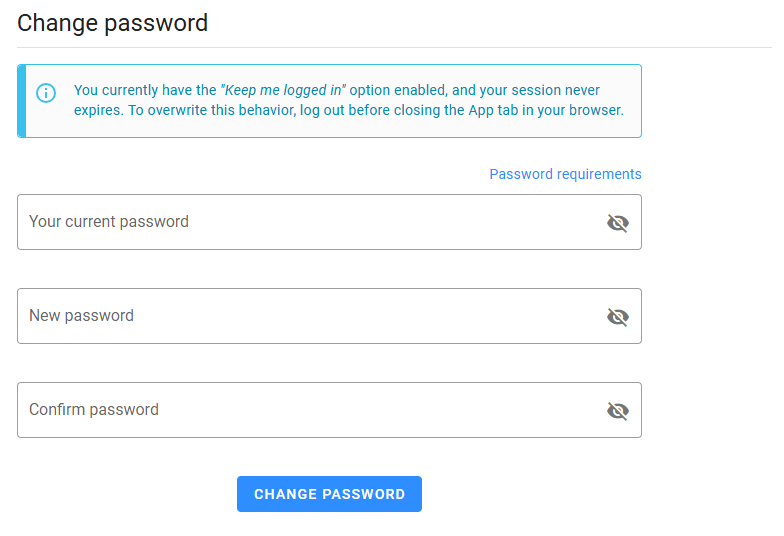
If you believe your password may be compromised, you can change it from this section. You will need to provide your current password to prevent unauthorized changes.
Manage access to your jobs
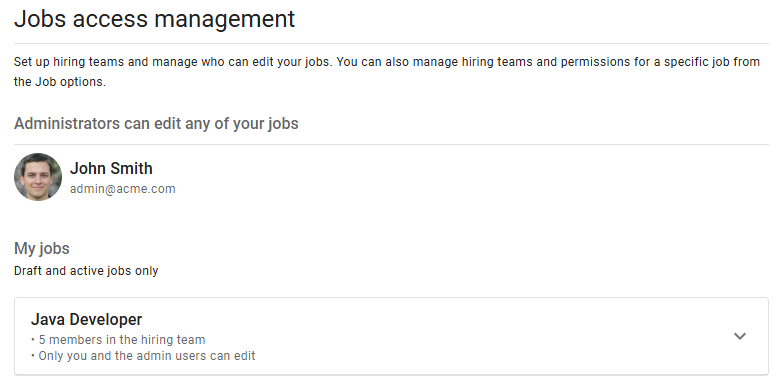
If you are the owner of a job or a user with administrative permissions, you can set up the hiring team and manage who can edit that job. While this is typically done from the job itself, this section allows you to see all your draft and active jobs, as well as the hiring team members and users with permission to edit each job.
The list displays the name of each job and provides a summary of how many members are in the hiring team and how many users can edit the job.
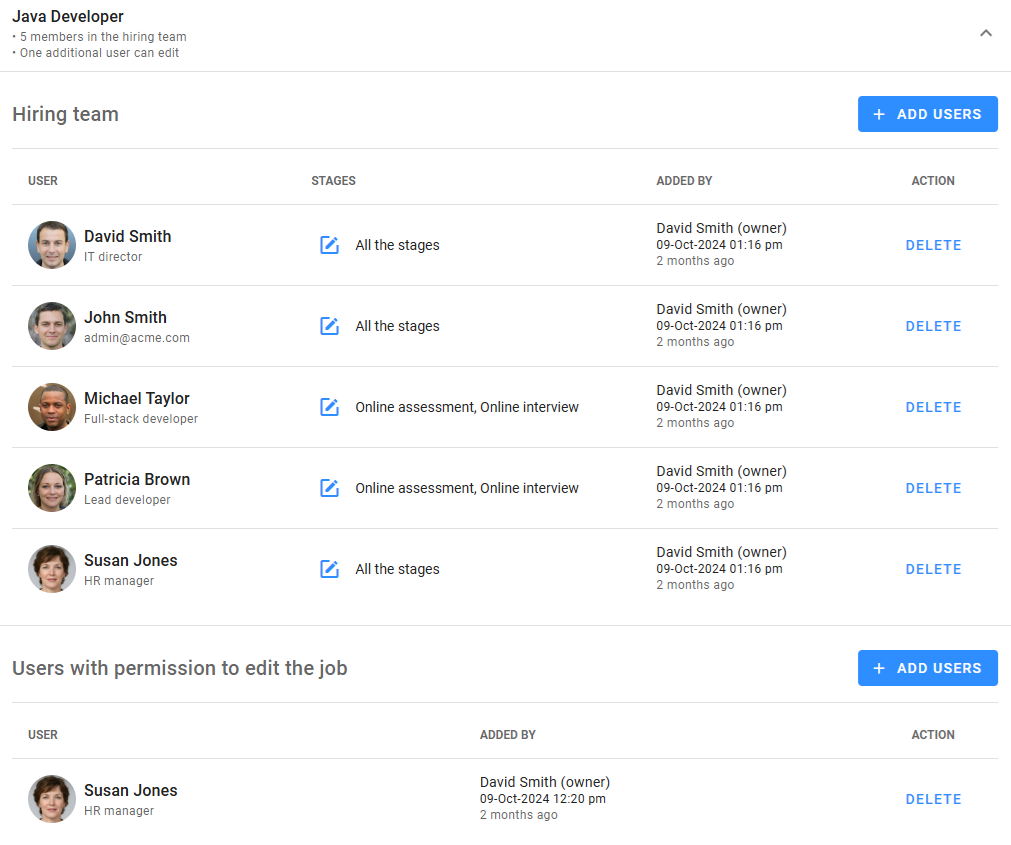
By expanding a job, you can see the list of all users in the hiring team and those who can edit the job, with the ability to add or remove users. For hiring team members, you can also define which stages they have access to. However, configuring the actions allowed at each stage must be done from the job's editing interface.