
Job Edition - Overview
The Overview page offers a comprehensive snapshot of the job details as they will appear to candidates, along with a summary of critical settings, including the application form, pipeline stages, job permissions, and recruitment sources. This centralized view helps you review and validate the job setup before publishing. Any sections containing errors or missing information will display warnings that must be resolved prior to publishing.
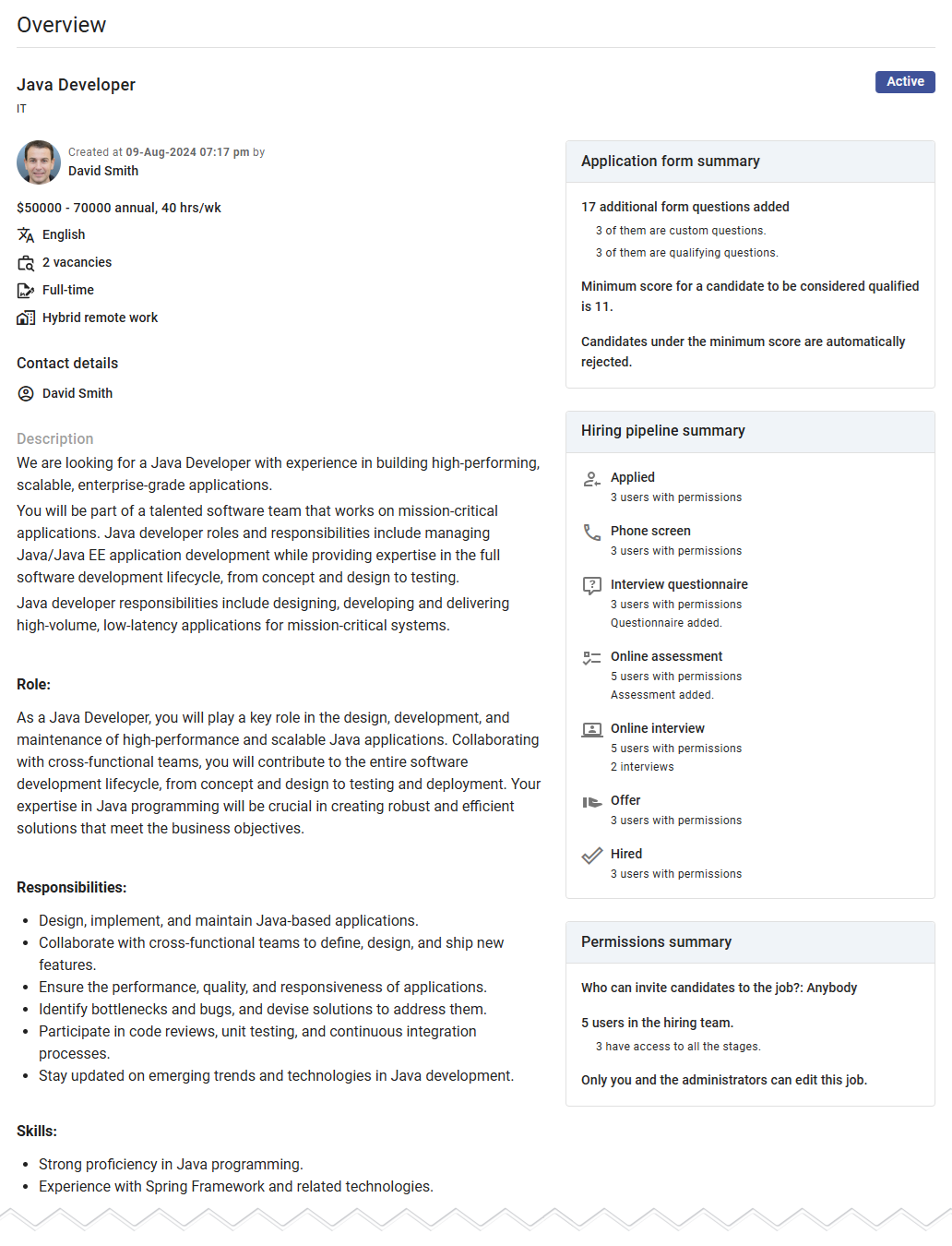
Preview
The General Details preview showcases the key job information, formatted similarly to how it will appear to candidates and external recruiters. This preview helps identify and fix errors, refine phrasing, and ensure proper alignment of fields.
Carefully review this section, paying close attention to fields such as Description, Salary Details, Contract Type, and Work Style. All these fields, except for Description, are locked once the job is published, making accuracy at this stage crucial.
Application form summary
This section provides an overview of the fields included in the Application Form. It includes details such as:
- The total number of fields.
- The number of custom questions.
- The number of qualifying questions.
If qualifying questions are present, the summary will also display the minimum score required to qualify candidates and indicate whether unqualified candidates are automatically rejected.
Pipeline summary
The Pipeline summary outlines all stages in the pipeline, including the following details:
- The number of users with access to each stage.
- For interview stages, the number of interviews added.
- For questionnaire and assessment stages, a status check indicating whether the required content is set up or highlighting errors if it’s missing.
Key Warnings
- Phone Screen Stage: If the pipeline includes a Phone Screen stage, the application form must include the Mobile Phone field as mandatory. Otherwise, an error will appear, and the job cannot be published.
- Interview Duration: For stages requiring interviews with candidate-scheduled appointments, the system checks if the appointment duration matches or exceeds the total interview duration. If this condition is not met, an error will appear in the corresponding stage.
Permissions summary
The Permissions panel displays a summary of user roles and access rights assigned in the Hiring Team & Permissions section. It includes:
- Users who can invite candidates to apply for the job.
- Statistics about the hiring team.
- Details about users with editing permissions for the job.
This overview ensures that all permissions are correctly configured, avoiding potential workflow issues.
Recruitment sources summary
This section provides a summary of recruitment sources, including:
- Statistics about external recruiters and additional sources.
- Settings related to external recruiters, such as if they will conduct phone screen.