Formatting Text
When adding text to your page, you can use the Rich Text Format floating toolbar to style and structure it. This versatile toolbar appears when you select text, offering a variety of formatting options, such as bold, italic, and underline. Additionally, it allows you to insert links, apply lists, adjust font colors, and highlight text. These tools ensure your text aligns with your design and branding needs, helping you create visually appealing and professional content.
Formatting options
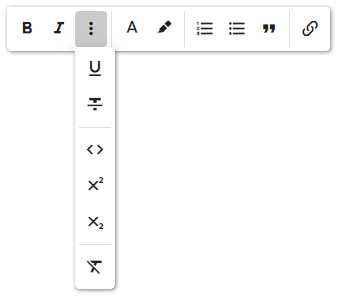
- Emphasis: Use formatting options to emphasize text, such as bold and italic, directly from the main bar. Click the Dots icon to access additional options like underline and strikethrough.
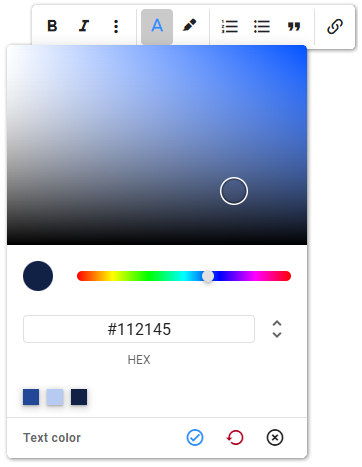
- Colors: Customize the text color or add highlights using the color tools. The color palette makes it easy to reuse previously selected colors. After choosing your color, click the Confirm icon to apply changes. To reset the text to the default color, click the Reset icon.
Lists: Apply numbered or bulleted lists to selected text with the list tools. For consistent spacing between list items across your page, refer to Spacing Between Elements.
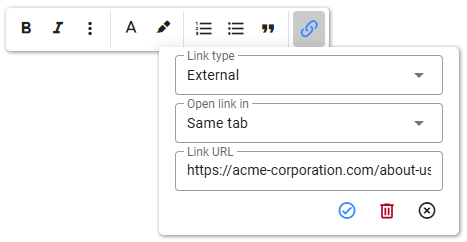
Links: Add hyperlinks to your text using the Links tool. This tool supports external URLs, email addresses, and internal anchors. For detailed instructions, refer to the Links section.