
Manage Offers
The Offer stage in the hiring process is critical for securing top talent. Zamdit streamlines this stage by providing an Offer Decision Form, which simplifies communication and decision-making between the hiring team and candidates. This page explains how to manage offers effectively, including sending offer letters, reviewing candidate decisions, and taking the next steps.
Sending the Offer Letter
Zamdit allows you to send offer letters in two ways:
Automated Email with the Decision Form Link
You can automate the process by sending a standardized email that includes a link to the Offer Decision Form. This ensures a quick and seamless interaction for the candidate.Custom Manual Email
Alternatively, you may choose to send a personalized email. This approach allows for greater flexibility and customization, enabling you to address specific details or include additional information.- You can attach the link to the Offer Decision Form in the email or omit it if you prefer to handle the decision-making through other means.
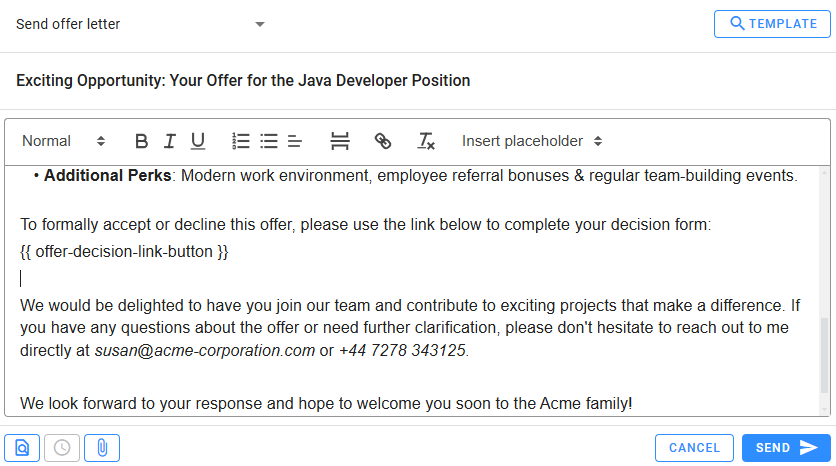
Regardless of the method, it’s advisable to follow up with the candidate personally to address any questions or concerns they might have about the offer.
💡 Tip
A personal touch can go a long way. Consider customizing emails for high-priority candidates to demonstrate your genuine interest in their addition to your team.
Reviewing the Candidate Decision
If the Offer Decision Form was used, reviewing the candidate's response is straightforward:
- Navigate to the Candidate Details View.
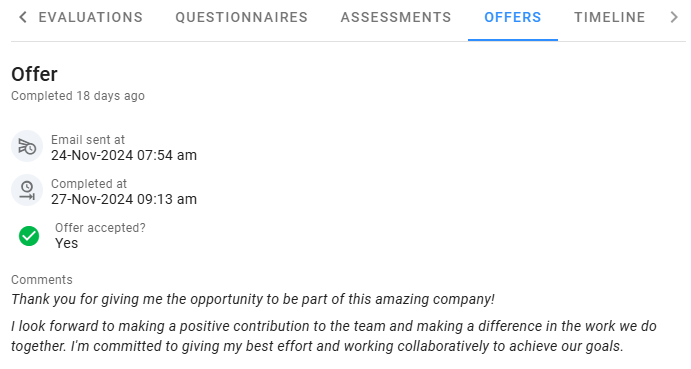
- Locate the Offers section, where the candidate’s response will be displayed.
- Check if the Offer was accepted and any additional comments provided.
You will also receive notifications of the candidate’s decision through the system notifications and email, ensuring timely updates.
Next Steps
Once the candidate has made their decision, the following steps are recommended:
If the Offer is Accepted
- Confirm the candidate's acceptance through a follow-up email or phone call.
- Provide the next steps for onboarding, including required documents, start dates, and other logistics.
- Notify the hiring team to prepare for the candidate’s integration into the organization.
💡 Tip
Ensure a smooth onboarding process by proactively addressing any uncertainties the candidate might have.
If the Offer is Declined
Renegotiation
- If the candidate cites concerns, consider addressing these issues or renegotiating terms to align with their expectations.
- Respond promptly to maintain goodwill and keep the door open for potential reconsideration.
No Further Interest
- If the candidate is not interested in the position at the moment, thank them for their time and professionalism.
- Update their status in the system to Offer Declined and continue your search for other qualified candidates.
💡 Tip
Declined candidates will be kept in your candidate pool for future opportunities. Tag them with a distinctive label, especially if they demonstrated strong potential during earlier stages.
By following these guidelines, you can manage offers effectively in Zamdit, ensuring a professional and efficient conclusion to your hiring process.