
Grade Open Questions
Open questions are a valuable tool in assessment tests to evaluate candidates' critical thinking, problem-solving abilities, and communication skills. They enable hiring teams to assess competencies that multiple-choice or coding tests may not capture effectively. Zamdit streamlines the evaluation process for open questions by providing tools to request reviews from the hiring team or external reviewers and consolidate feedback for grading.
Request Reviews
Importance of Reviews for Technical Questions
For technical or specialized open questions, obtaining reviews from subject matter experts is crucial. External reviewers or hiring team members with relevant expertise can provide nuanced evaluations of candidates' responses, ensuring fair and informed assessments. Reviews help assess:
- Accuracy and Depth: Does the candidate demonstrate a thorough understanding of the subject?
- Clarity and Communication: How effectively does the candidate articulate their reasoning or solution?
- Relevance: How closely does the answer align with the job’s requirements?
How to Request Reviews
To request a review for an open question:
- Navigate to the Assessments tab in the Candidate Details View.
- Locate the specific open question in the test results panel.
- Use the Invite To Review option to request a review from an external reviewer with expertise in the relevant subject area.
- Enter the reviewer’s details or select a reviewer who has previously reviewed the same question for another candidate.
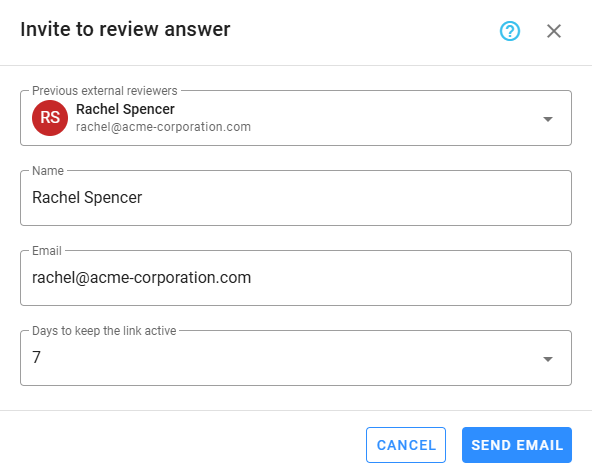
Once the reviewer completes their evaluation, their feedback will be available in the Reviews section of the question and on the grading form.
Grading
Using Reviews for Grading
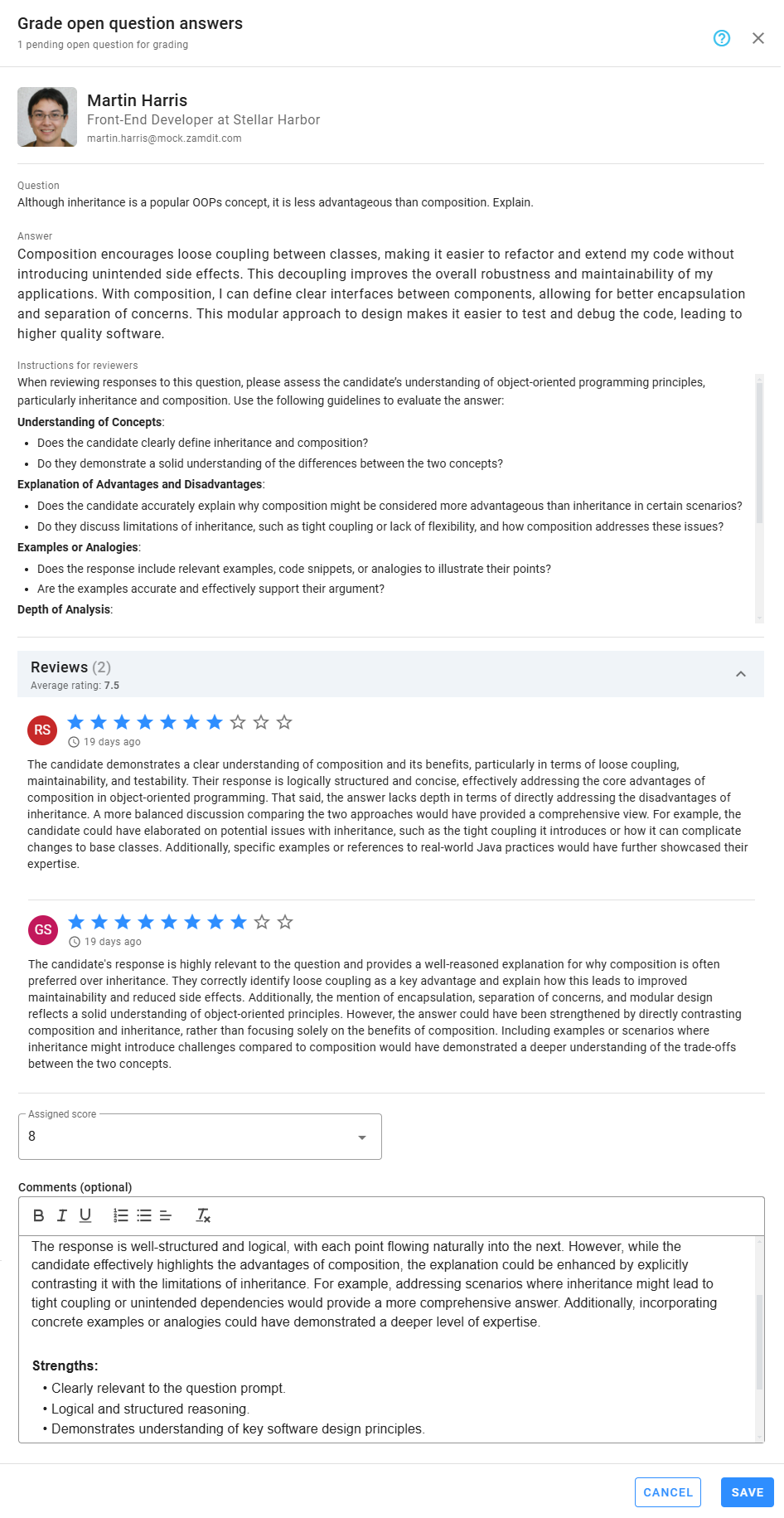
When grading open questions, consider the feedback provided by reviewers alongside your own evaluation. Follow these steps for a structured and unbiased grading process:
- Consolidate Insights: Review all comments and scores from reviewers to understand their perspectives.
- Evaluate Key Criteria: Focus on the predefined grading rubric or criteria for the question. Common factors include:
- Relevance to the question prompt.
- Logical reasoning and structured response.
- Depth of knowledge or expertise demonstrated.
- Resolve Discrepancies: If reviewers provide conflicting feedback, discuss the differences with the team to reach a consensus.
Assigning a Final Grade
- Assign a score or grade that reflects the candidate's overall performance on the question.
- Include detailed comments explaining the rationale for the grade, ensuring transparency and providing useful feedback for the hiring team.
- Submit the final grade to update the candidate’s assessment results.
By leveraging the review and grading tools in Zamdit, you can ensure a fair and thorough evaluation of open questions, enabling your team to make informed, data-driven hiring decisions.