Update Your Payment Method
While the system only supports one payment method at a time, you can easily update your existing payment details when needed. Zamdit securely handles payment processing via Stripe, so only the last four digits and card type of your current card are stored for your reference.
Viewing your current payment method
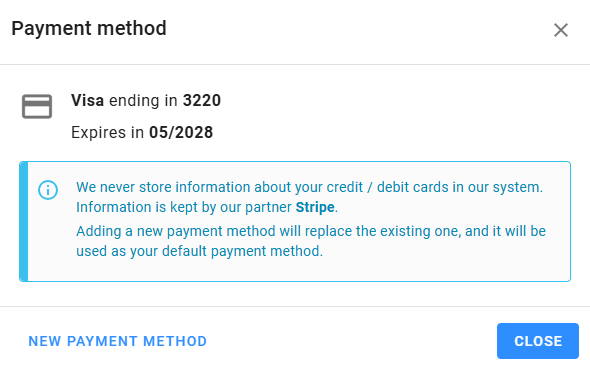
To view your current payment method, go to the Plan & Billing section and select Payment Method. Here, you’ll find the card type, the last four digits, and the expiration date. Ensure your card is updated before it expires to prevent any interruption in service.
Adding a new payment method
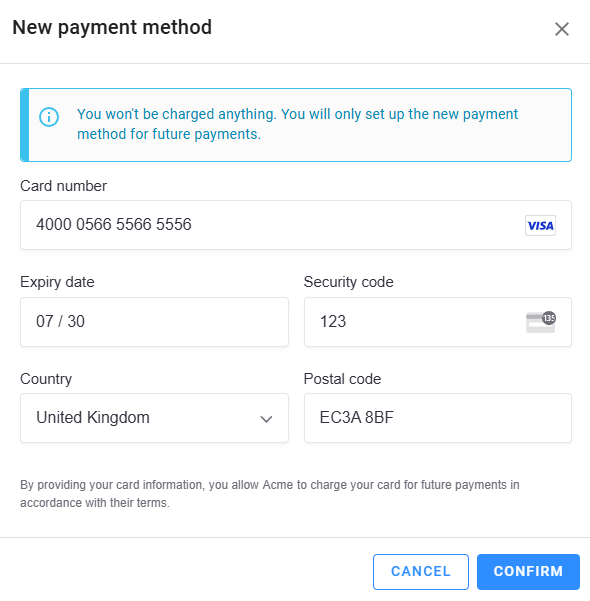
To update your payment details, click on New Payment Method at the bottom of the payment view. Follow the prompts to enter and confirm your new card information. You won’t be charged at this point; however, this new card will be used for any future payments.