Review Coding Answers
When you receive an email invitation to review a candidate's answer to a coding question, you will be redirected to a dedicated review page. This structured process ensures your feedback is informative and contributes to a fair evaluation of the candidate.
Review Overview
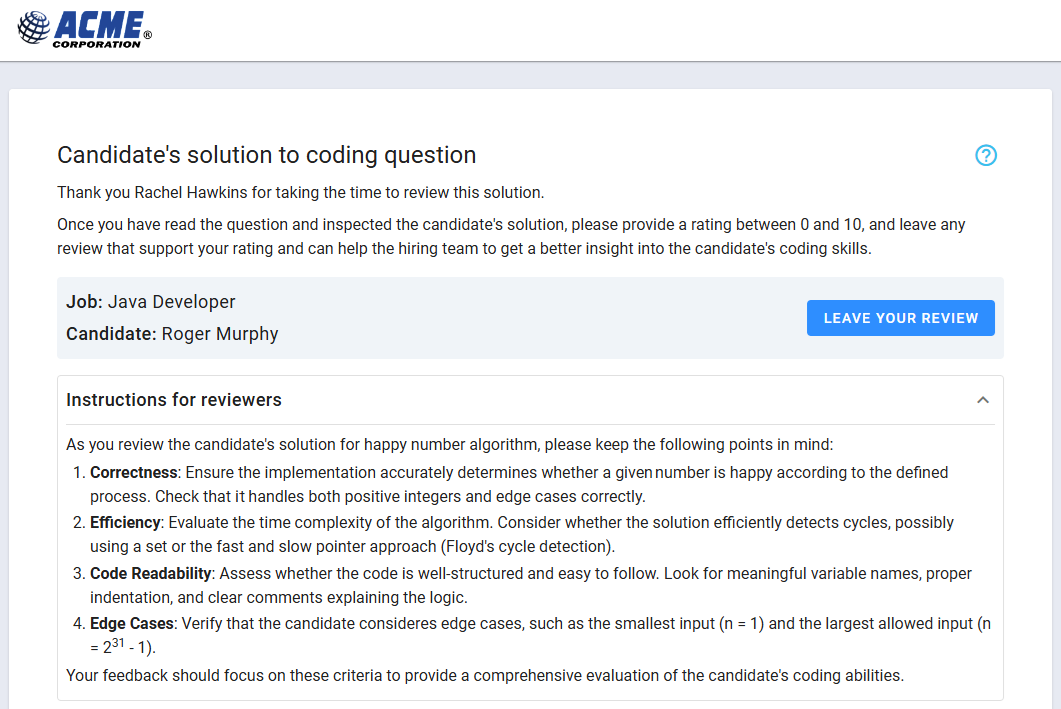
Upon accessing the review page, you will see:
- Welcome Message: An introductory note with general instructions.
- Question Instructions: Specific guidelines from the original test question (if applicable).
- Invitation Instructions: Additional review guidelines provided by the hiring team (if applicable).
- Candidate Information: The candidate's name (for identification purposes).
- Coding Report: An interactive tool that displays the question and a timeline for reviewing how the code was written, along with test case execution results and errors.
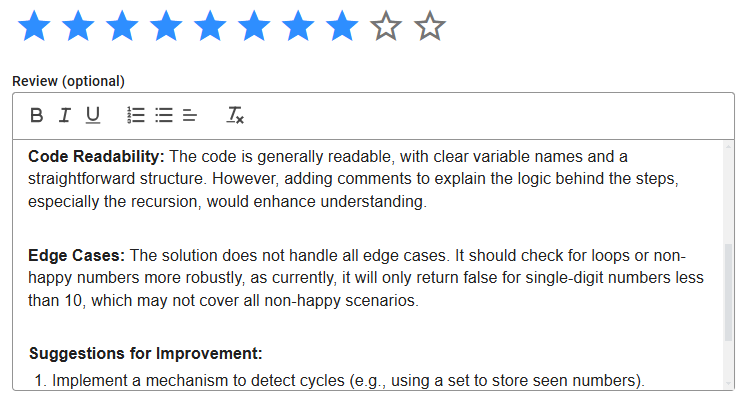
All the information is presented in a single view, ensuring you don’t need to expand panels or navigate between sections. To submit your feedback, click the Leave Your Review button above the Coding Report, which will open the form to set the score and provide your comments. Remember to save your review to submit it successfully.
Coding Report Tool
The image below highlights the key elements of the Coding Report Tool.
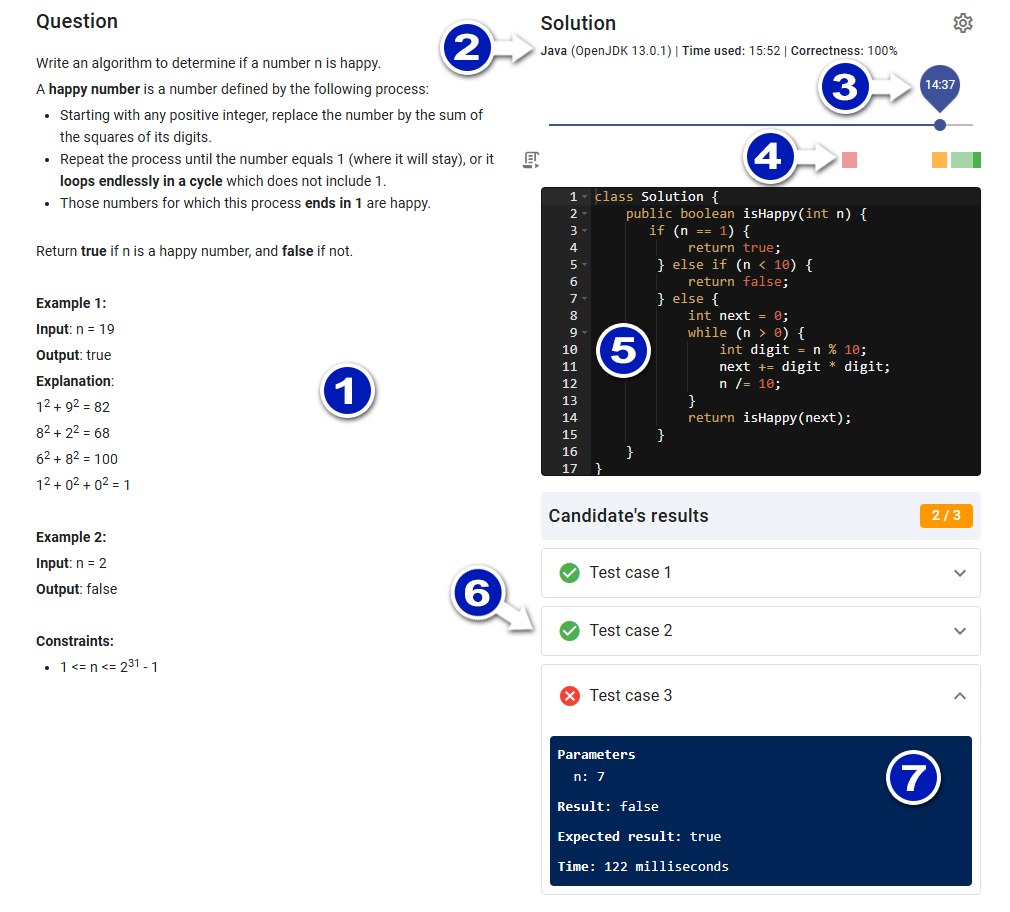
- Question: As presented to the candidate.
- Programming Language: Includes compiler version details. To the right, view the time used and the final correctness ratio.
- Timeline: Move the track to see how the code was written and when the test cases were executed, along with their results and errors.
- Test Case Segments: Time segments colored to indicate test execution (hover over the segments to see details):
- Red: All test cases failed.
- Orange: Some test cases failed.
- Green: All test cases passed. Note: Test cases executed by candidates do not include all test cases, only those run by the system after submission.
- Solution: Move the timeline track to the end to view the submitted solution.
- Test Cases Executed: The list depends on the position of the timeline track.
- Test Case Results: Expand a test case to see detailed results, including compilation errors.
Review Guidelines
To conduct a thorough review and assign an appropriate score, follow these guidelines:
- Understand the Criteria: Familiarize yourself with the evaluation criteria, including correctness, efficiency, and code readability.
- Use the Coding Report: Analyze the timeline and test case results to understand the candidate's coding process and problem-solving approach.
- Provide Constructive Feedback: Offer specific comments highlighting strengths and areas for improvement, focusing on logic, coding style, and adherence to best practices.
- Score Fairly: Assign a score based on the overall performance, considering both the correctness of the solution and the clarity of the code. Be consistent with scoring across all candidates.