
Manage Appointments
Appointments are a critical part of coordinating phone calls, online interviews, and onsite interviews during the hiring process. This page provides an overview of how to manage appointments effectively using the tools provided in Zamdit.
Arranging Appointments
To schedule an appointment, use the "Arrange appointment..." option available on the Candidate Card or the Candidate Details View actions menu. This will open a form where you can input all relevant details, including the date, time, and duration. For online meetings, you’ll need to provide a Video interview link; for onsite meetings, select one of the registered locations in the system.
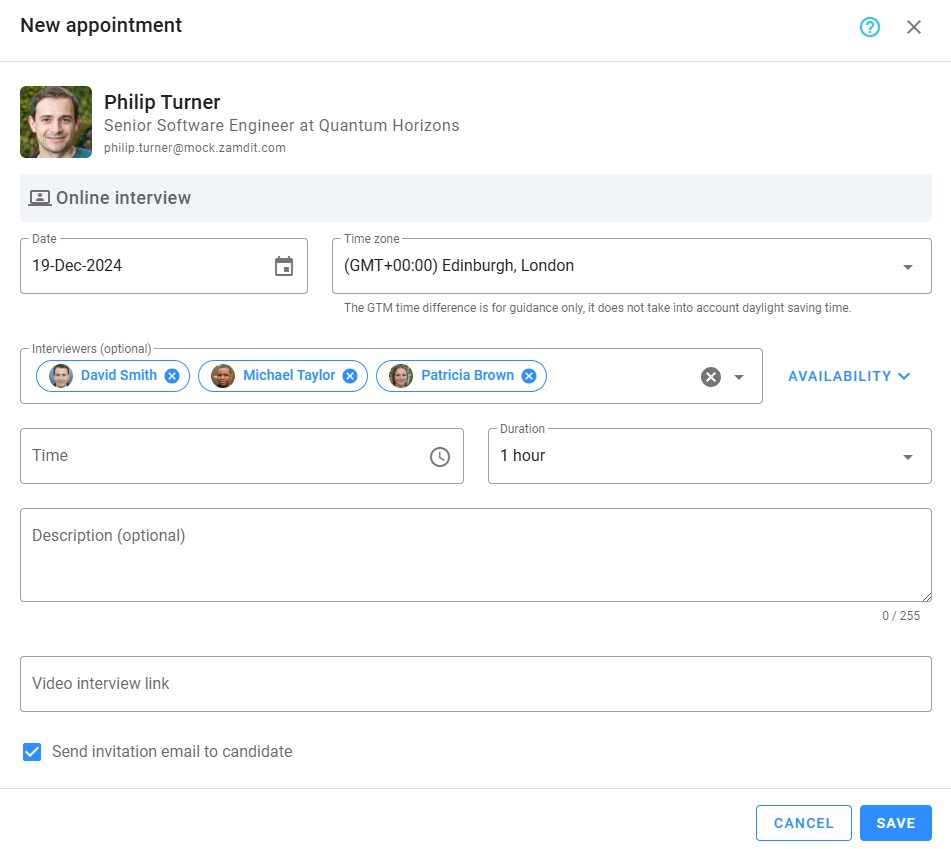
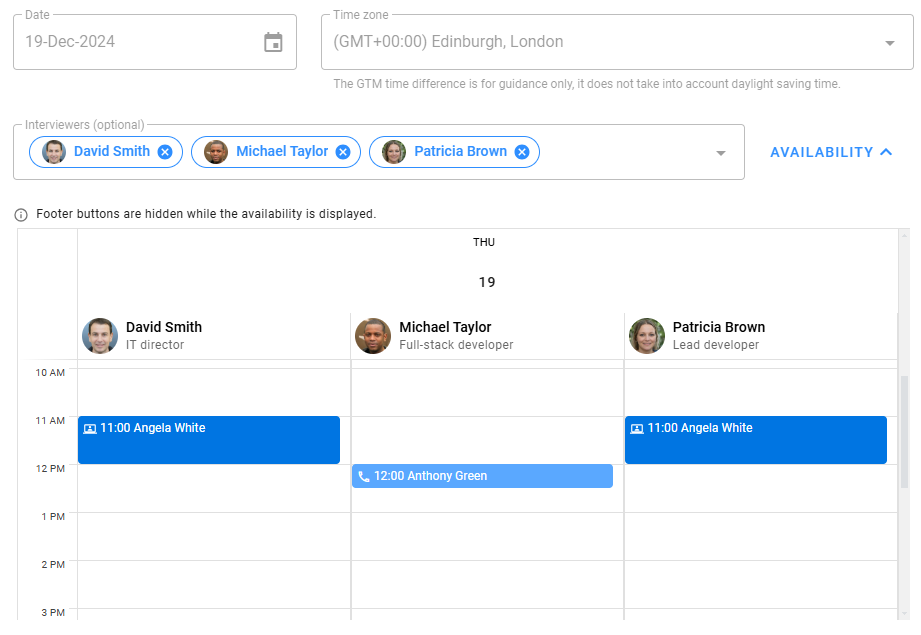
The form includes a helpful Availability panel where you can check the availability of interviewers before finalizing the date and time. To use this feature, first select a date, then choose the interviewers, and expand the Availability panel to view potential conflicts.
When saving the appointment, you can either send the default invitation email immediately or delay sending it until a later time. This email includes essential details, such as the date, time, and meeting information, ensuring the candidate is well-informed.
Let Candidates Schedule Appointments
Empowering candidates to schedule their own appointments streamlines the process, reduces administrative tasks, and enhances the candidate experience.
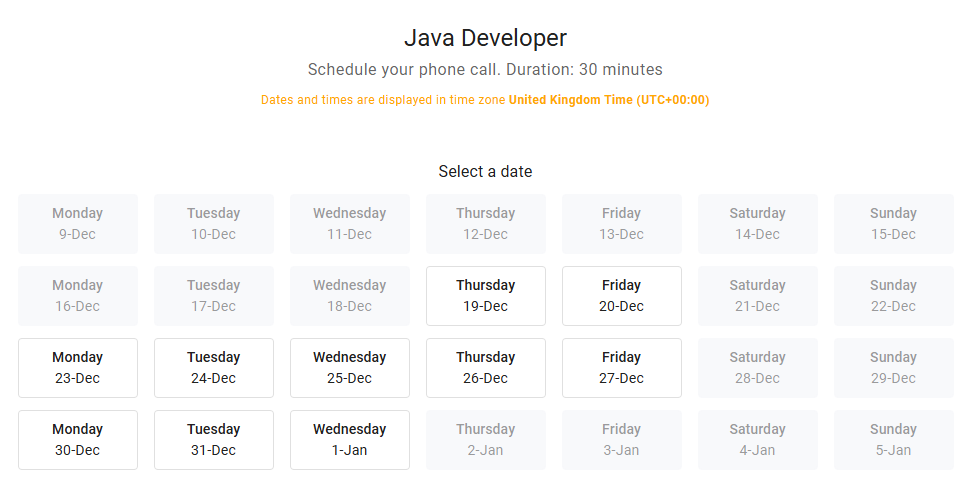
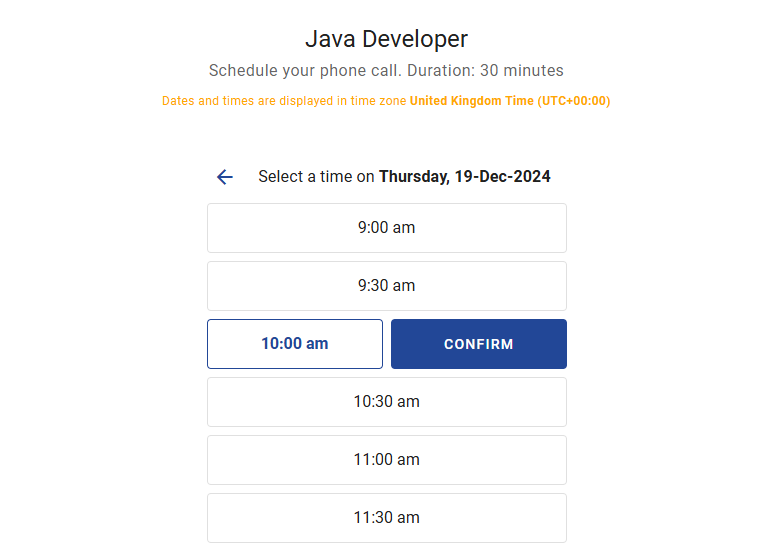
To enable this feature, configure the pipeline stage to allow candidates to select from predefined time slots. When candidates are moved to the stage, Zamdit can automatically send an invitation email containing a scheduling link (depending on the stage's settings). Candidates can use this link to select an available date and time from the schedule.
Confirming or Declining Appointments
After a candidate selects a time slot, the hiring team must confirm or decline the appointment:
- Confirming an Appointment: Once confirmed, Zamdit sends an automated confirmation email with the appointment details to the candidate.
- Declining an Appointment: If the appointment is not feasible, the hiring team must manually notify the candidate via email and discuss alternative options. After declining, it’s essential to arrange a new appointment based on mutual agreement.
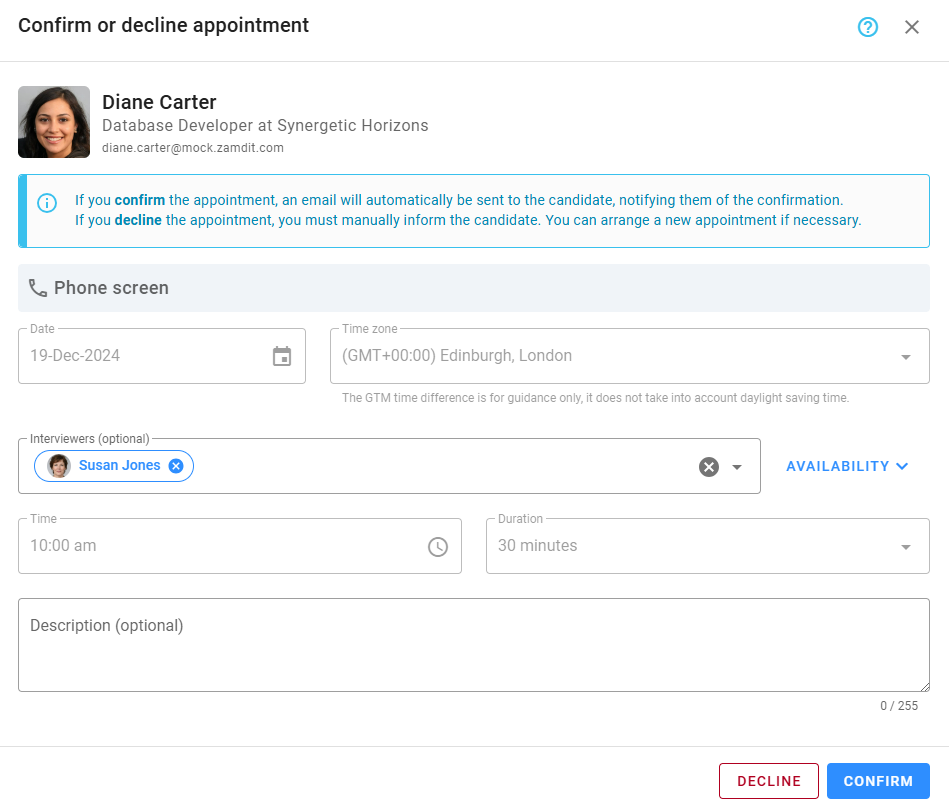
The system does not allow confirming appointments less than 6 hours before the scheduled time. It is recommended to confirm appointments a few days in advance to give candidates enough time to prepare.
Other Actions
Zamdit provides flexibility for managing appointments, including options to cancel or rearrange them as needed. Refer to the Activities section in the Job Progress Board for more details on these actions.
By leveraging these tools and following best practices, you can ensure an efficient scheduling process that respects the time and expectations of both the hiring team and candidates.