
Progress Board - Quick Start Guide
The Progress Board is your centralized hub for tracking and managing candidates throughout the hiring process for a position. Designed for efficiency, it equips you with a suite of tools to streamline hiring, make data-driven decisions, and ensure a seamless workflow from application to final offer.
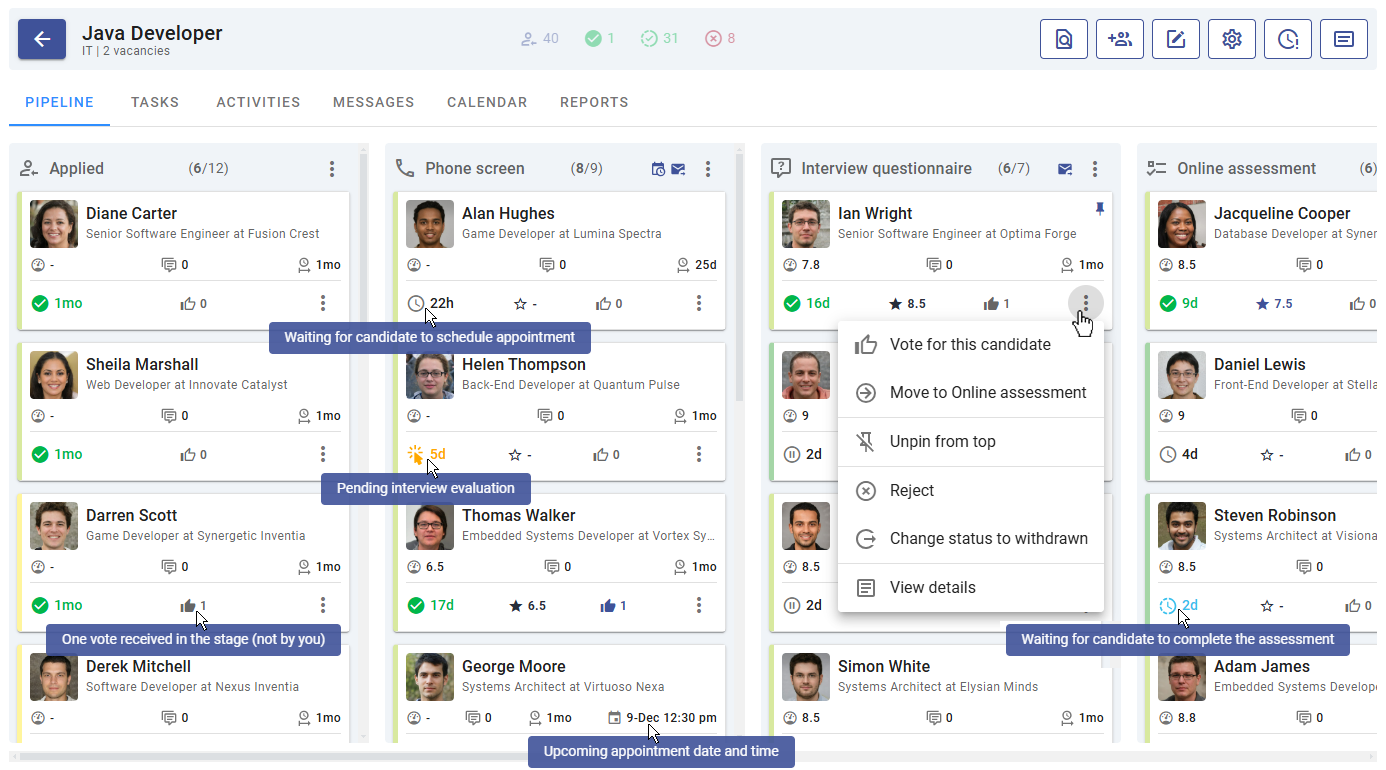
Key Features of the Progress Board
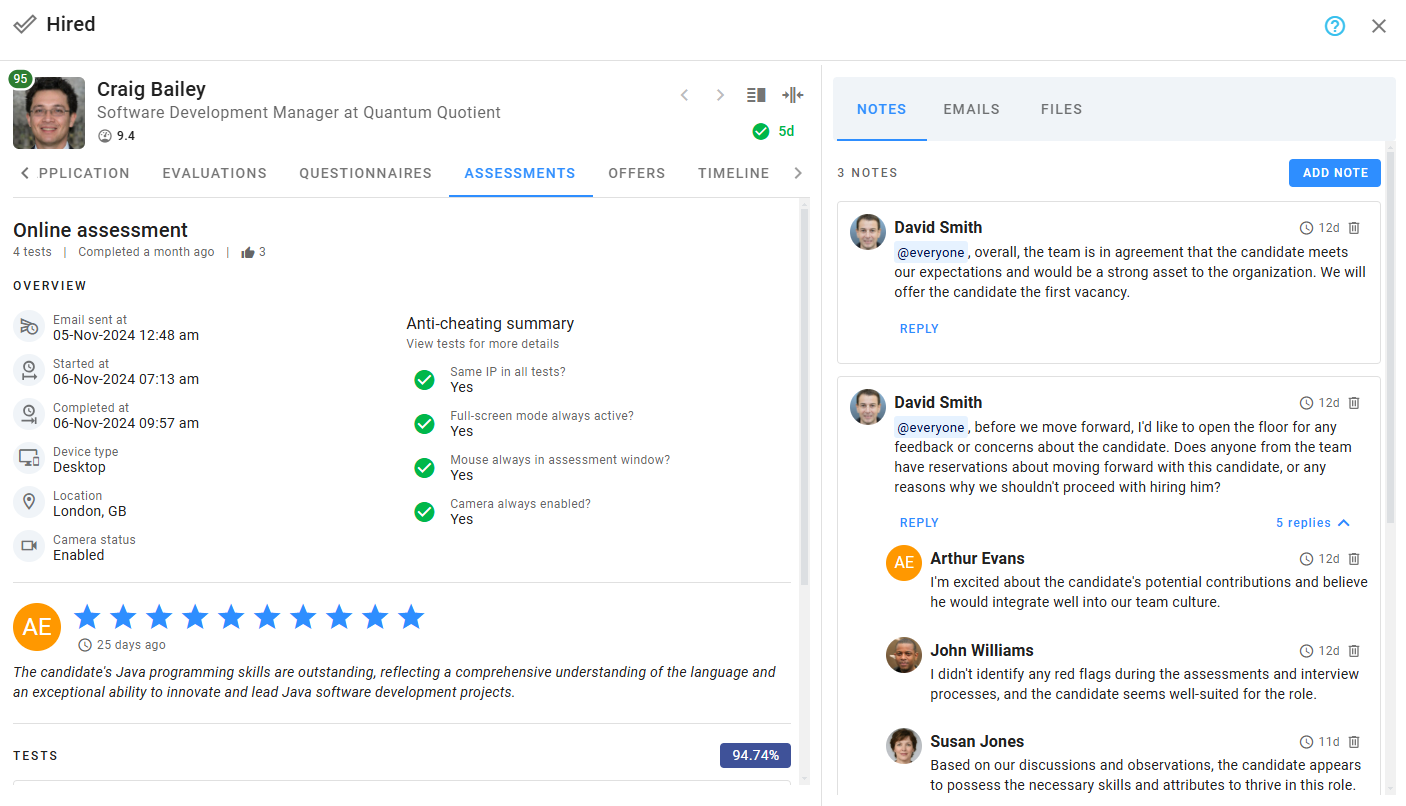
The Progress Board offers intuitive tools that allow you to oversee every aspect of a candidate's journey. You can access the Candidate Details View from most tools, where you’ll find comprehensive candidate information, including:
- Resume and profile details
- Application form responses
- Evaluations and questionnaire responses
- Assessment results
- Reviews and feedback from hiring team members
- Notes and internal messages
- Uploaded files
- Direct actions like sending emails, writing notes, or scheduling activities
Sections of the Progress Board
The Progress Board is divided into several key sections, each tailored to specific aspects of the hiring process:
Pipeline
The Pipeline provides a detailed overview of all candidates and their current stages in the hiring process. This is the primary workspace where you can:
- Advance candidates through stages
- Reject candidates
- Access detailed information and take actions such as emailing or scheduling activities
Tasks
A built-in task manager to help you stay on top of your to-do list. Assign, track, and complete tasks related to specific candidates or general hiring activities.
Activities
A consolidated view of all scheduled activities, such as phone calls, online interviews, and onsite meetings. Easily manage and reschedule appointments as needed.
Messages
Centralized access to all emails related to the hiring process, including sent, received, and scheduled messages. Stay organized and maintain a clear communication trail.
Calendar
Your hiring calendar displays activities related to the current job. You can also switch to a global view to see events across all active jobs.
Reports
Analyze the hiring process with six detailed reports, including:
- Funnel analysis
- Candidate progression by stage
- Activity summaries
- Source statistics
- Overall hiring performance metrics
Additional Tools in the Pipeline
The Pipeline offers powerful supplementary tools to assist in decision-making:
Compare Candidates
Compare candidates side-by-side within the same stage to evaluate qualifications and performance at a glance. This tool is especially useful for narrowing down top contenders.
Voting Summary
Access a detailed overview of votes for a specific stage, including the hiring team members who cast each vote. This feature ensures a transparent and collaborative decision-making process.
With these tools, the Progress Board in Zamdit simplifies candidate management, accelerates decision-making, and enhances team collaboration. Explore each section to unlock the full potential of your hiring workflow.