
External Recruiter Portal
The External Recruiter Portal in Zamdit is designed to facilitate seamless collaboration with external recruiters, providing them with the tools and information necessary to contribute effectively. External recruiters access their portal via a unique URL provided for each job. If a recruiter is assigned to multiple jobs within the same organization, they can easily switch between jobs within the portal.
The portal is organized into several sections to streamline navigation and enhance productivity.
Overview
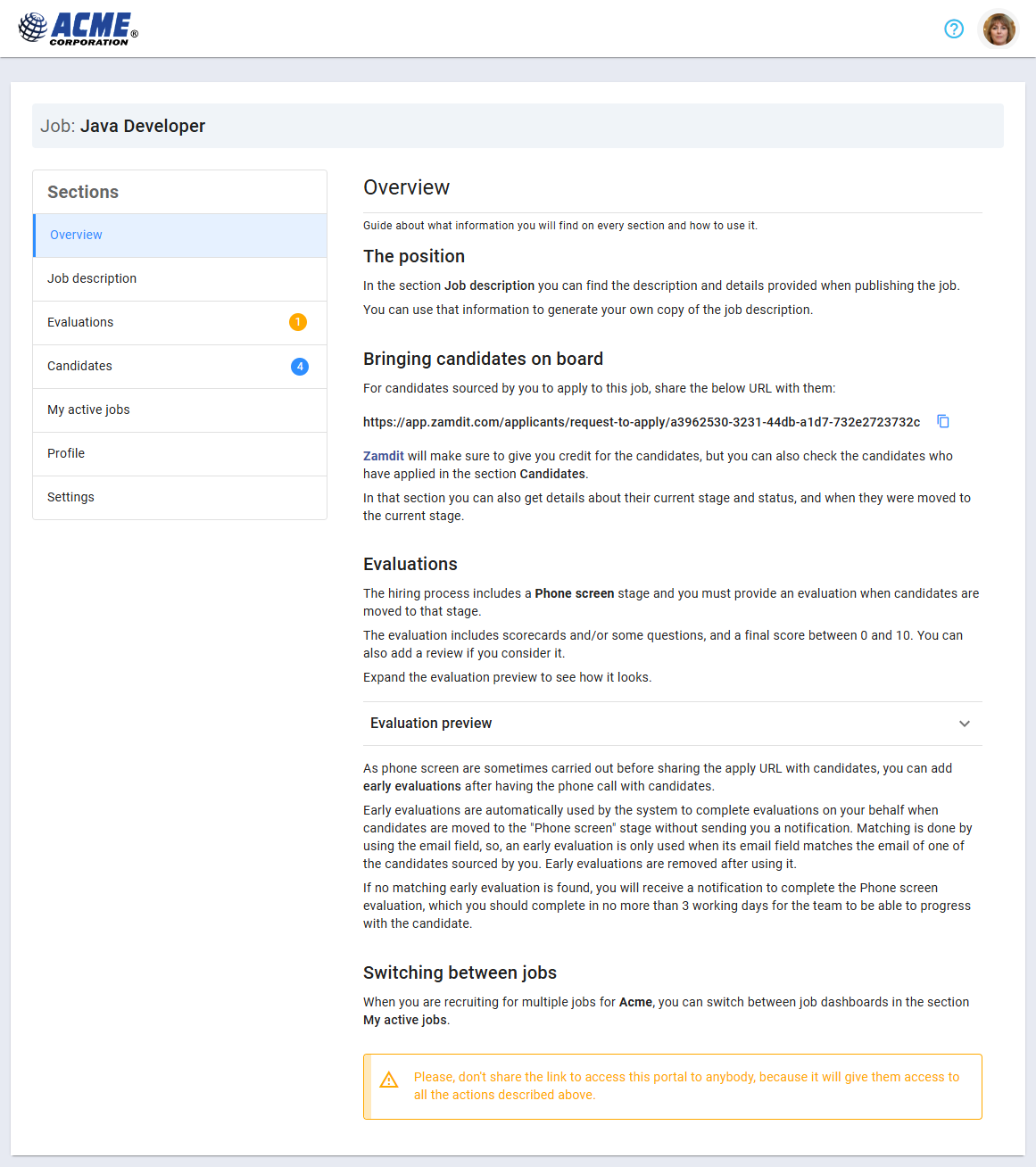
The Overview section offers a concise guide to using the portal and accessing its key features. This section includes:
- A navigation guide highlighting essential tools and sections.
- Instructions for completing Phone Screen Evaluations if applicable.
- A unique application link for recruiters to share with candidates:
- This link directs candidates to a page to provide their email address and receive an invitation to apply.
- Candidates applying through this link are automatically attributed to the external recruiter.
Job Description
The Job Description section displays the details of the job as they appear on the organization’s Career Portal. Recruiters can use this information to craft customized job postings and include the application link when reaching out to potential candidates.
Evaluations
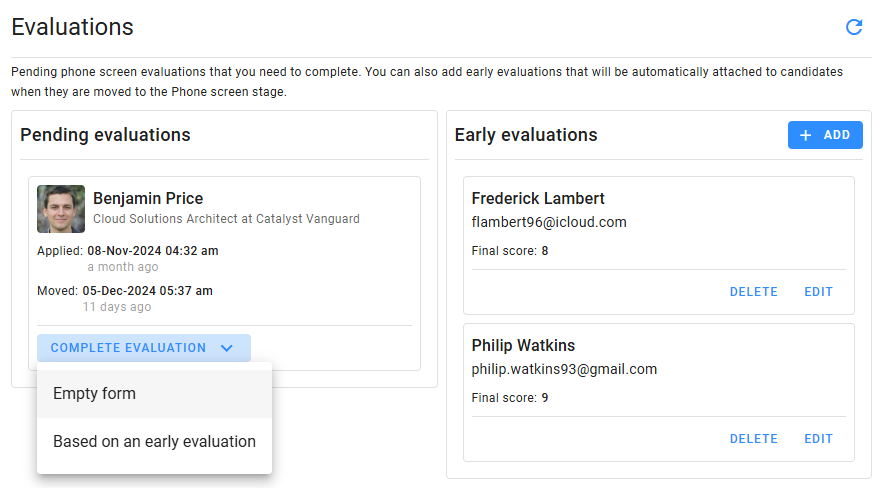
The Evaluations section lists all pending evaluations for candidates that recruiters have sourced and who are at the Phone Screen stage.
- Standard Evaluations: Available once a candidate is moved to the Phone Screen stage. Recruiters can complete the evaluation directly within the portal.
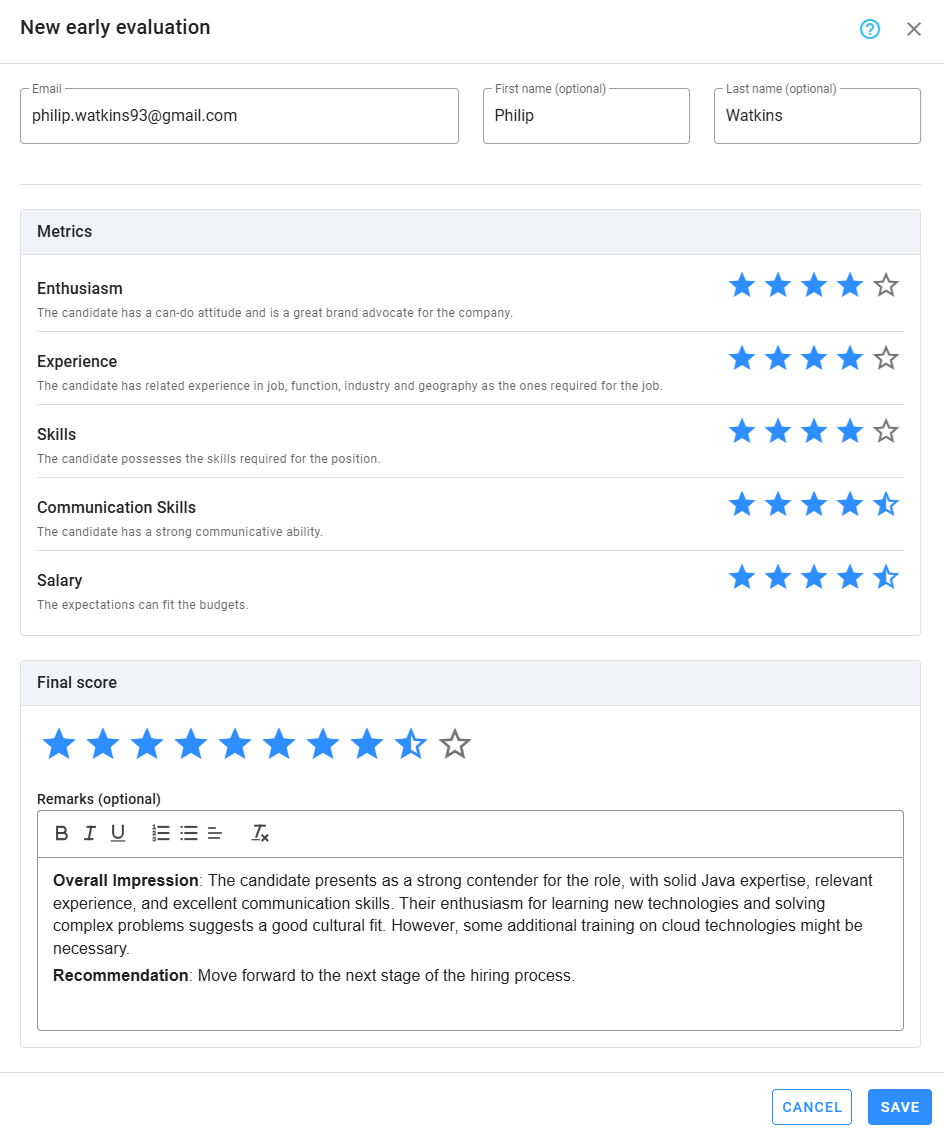
- Early Evaluations: Recruiters can document evaluations even before a candidate officially reaches the Phone Screen stage. Early evaluations are linked to the candidate’s email address and are automatically applied when the candidate reaches the appropriate stage.
Early Evaluations Workflow
This feature allows recruiters to log evaluations promptly, maintaining efficiency. If a recruiter conducts a phone screen before the candidate reaches the Phone Screen stage, they can complete an Early Evaluation by entering the candidate’s email address.
When the candidate moves to the Phone Screen stage, Zamdit automatically matches the early evaluation to the candidate and removes the temporary entry. If no early evaluation exists, the system notifies the recruiter to complete the evaluation.
Completing Evaluations
To complete an evaluation, recruiters simply click Complete Evaluation below the candidate’s entry. If early evaluations are available, the recruiter can use one of these or start a new evaluation.
Candidates
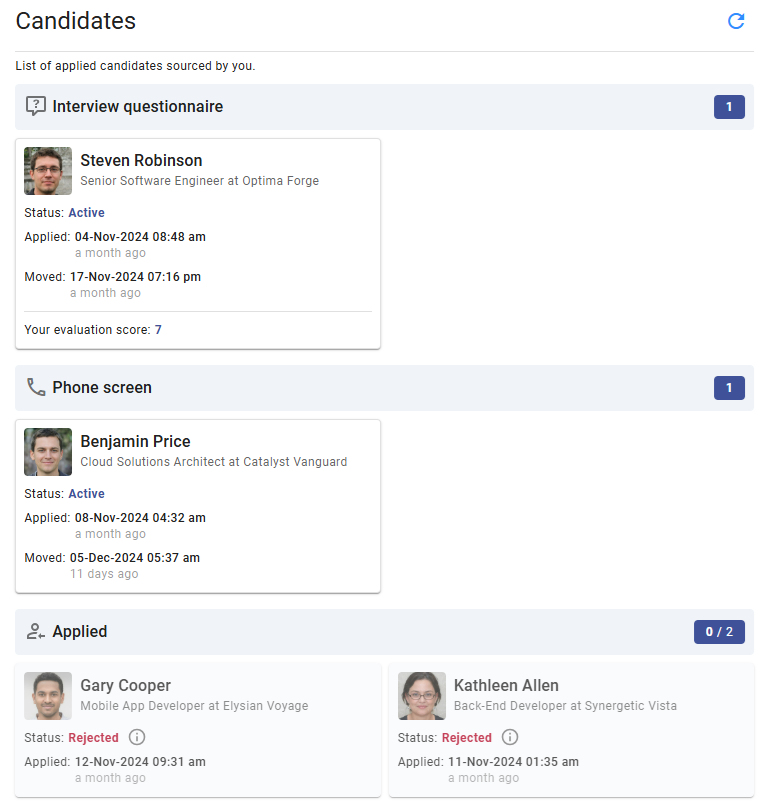
The Candidates section provides a detailed list of all candidates sourced by the recruiter, organized by their current stage in the hiring process. This section allows recruiters to:
- Track candidate progress through different stages.
- View each candidate’s current status and any associated details.
My Active Jobs
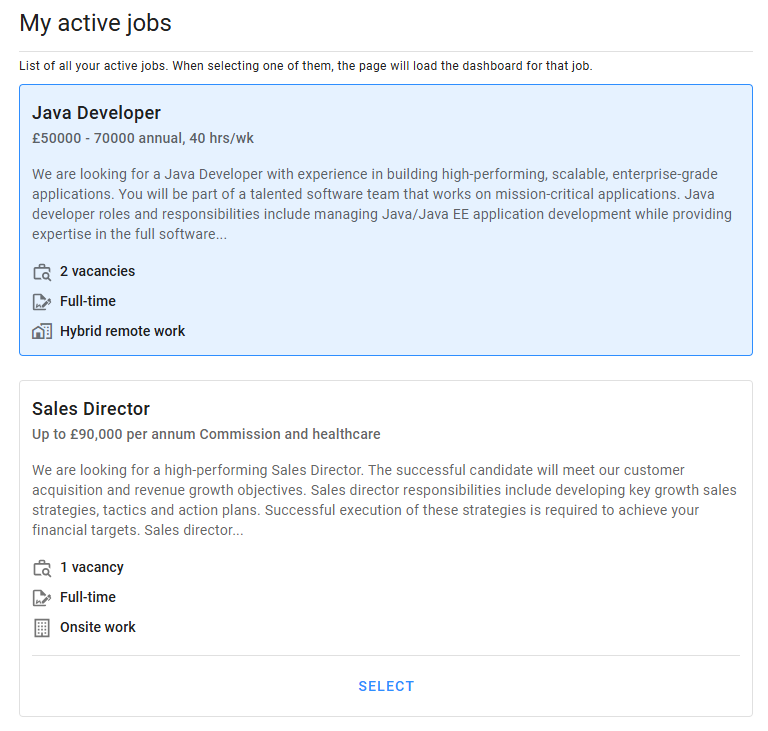
The My Active Jobs section displays all jobs the recruiter is actively working on for the organization. This section includes:
- A list of active jobs.
- The ability to switch between jobs and access job-specific details.
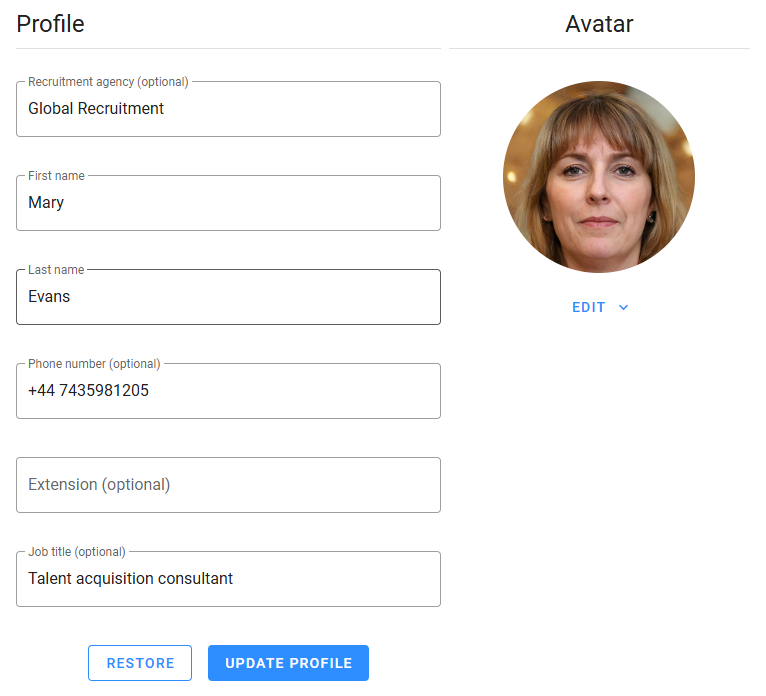
Profile
In the Profile section, recruiters can update their personal information and upload or change their avatar image to ensure their profile remains accurate and professional.
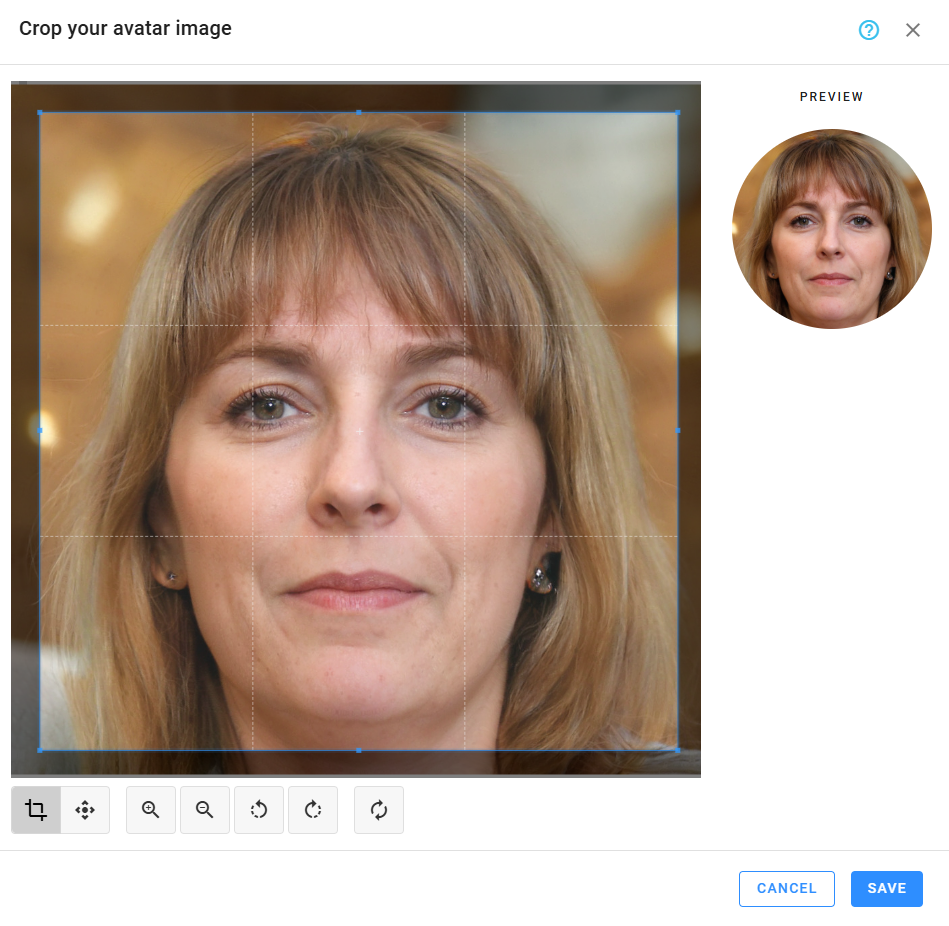
Avatar
Avatars help to quickly identify external recruiters. By default, a recruiter's avatar consists of their initials with a background color. However, they can customize it by changing the background color or uploading a photo using the "Edit" split button. When uploading a photo, they can crop the image to highlight their face and remove unnecessary elements. Additional options are available to replace or remove the current photo.
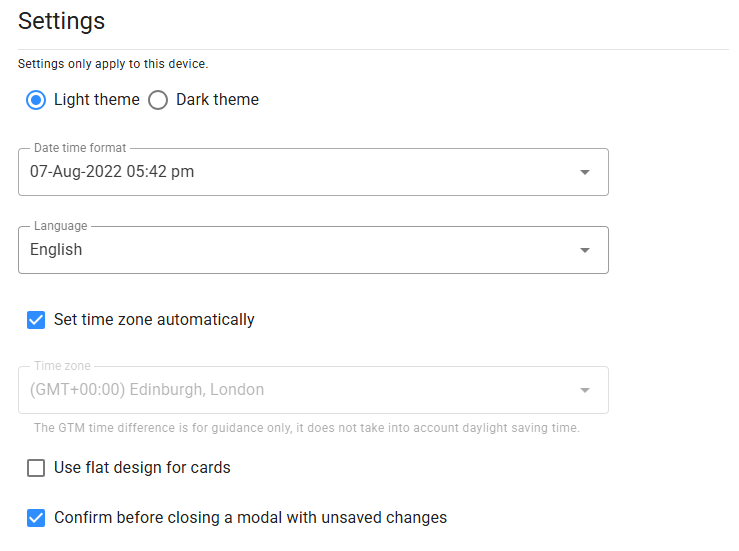
Settings
The Settings section provides options for personalizing the portal experience. Recruiters can adjust:
- Appearance: Toggle between light and dark themes.
- Date and Time Formats: Select preferred display formats.
- Language: Choose from available languages.
- Time Zone: Configure the portal to match their local time zone for accurate scheduling.
- Use flat design for cards: Removes drop shadows from cards for a cleaner, flatter appearance.
The External Recruiter Portal ensures a streamlined and productive collaboration between your organization and external recruiters. With its user-friendly interface, customizable settings, and robust features, the portal allows recruiters to focus on sourcing and managing top talent while maintaining clear communication with your hiring team.