
Job Edition - Hiring Team & Permissions
The Hiring Team & Permissions page allows you to define the hiring team, manage their permissions, and control access to other actions related to the job. Unlike other pages in the Job Edition Tool, this one remains fully editable even when the job is Active. All changes on this page are saved automatically.
This page is divided into three sections:
Hiring team
To build a strong hiring team, start by identifying members with complementary expertise, such as technical specialists, team leaders, and HR professionals. Clear role definition ensures a smooth workflow. You can also collaborate with external recruiters, who are managed separately under Recruitment Sources.
Your hiring team comprises three types of users:
- Full Access Members: Can view and perform all actions across all stages.
- Read-Only Members: Can only view and comment.
- Stage-Specific Members: Have access to selected stages with customizable actions.
⚠️ Note
Even as the job owner, you must add yourself to the hiring team to access actions on the Job Progress Board. Without this, your permissions default to Read-Only.
To maintain consistency, it’s recommended to manage team membership in this section and refine permissions for stage-specific members at the stage level.
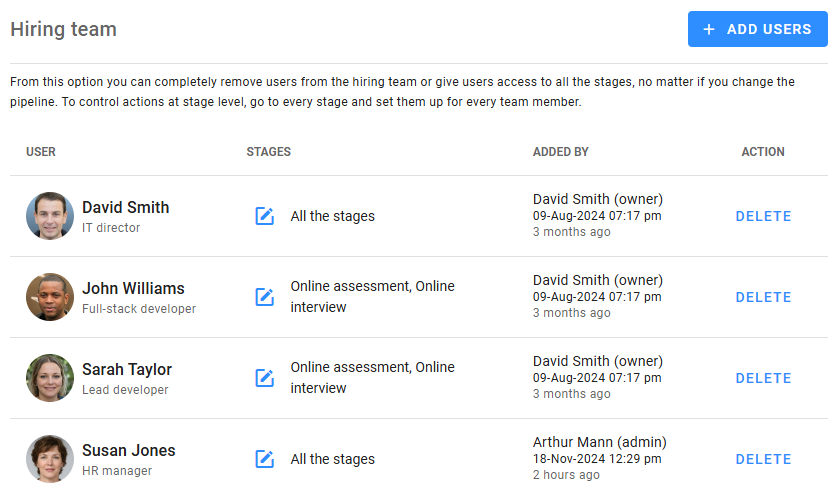
To add users to the hiring team, click Add Users. New users are assigned as Read-Only Members by default. To change their category, click the Edit icon:
- Tick All stages and all permissions to make the user a Full Access Member.
- Leave the box unchecked to make them a Stage-Specific Member. Assign specific stages, and later refine their permissions under the Stage Permissions tab for each stage.
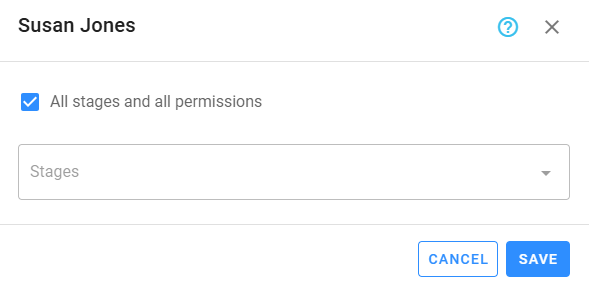
For optimal efficiency, define the pipeline stages before configuring permissions to avoid rework. When the job is published, team members with the appropriate notifications enabled will receive an alert confirming they were added to the hiring team.
Permissions to invite candidates
Referrals can be a powerful tool for sourcing high-quality candidates efficiently. Zamdit provides the flexibility to control who can invite candidates to apply for the job.
By default, all users can invite candidates once the job is published. However, you can restrict this by using the Who can invite candidates to apply to this job? section. Three options are available for managing invitation permissions:
- All users.
- Only members of the hiring team.
- Only the owner, administrators and users with edit permission.
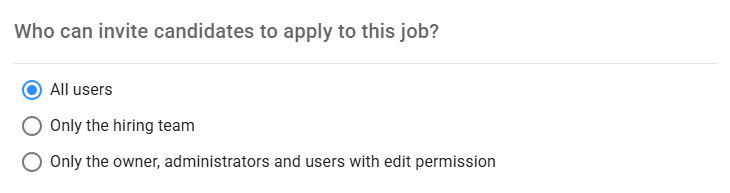
Adjust these settings to align with your organization's referral and sourcing strategies.
Permissions to edit the job
By default, only the job owner and Admin users can edit the job. This section allows you to grant editing privileges to additional users. These users can modify any page within the Job Editor Tool, but they cannot:
- Add or remove users from this section.
- Change permissions for who can invite candidates.
- Manage external recruiters for the job.
- Manage additional sources for the job.
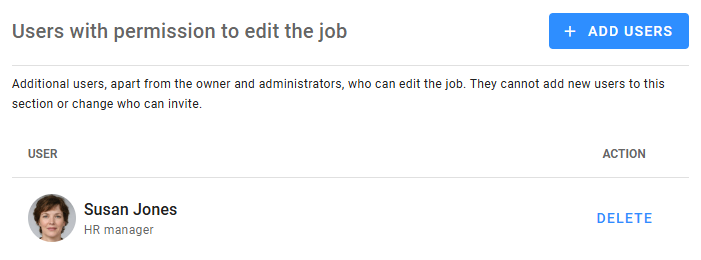
Carefully consider granting editing permissions to ensure the integrity of your hiring process and reduce the risk of unauthorized changes.